
Practical RV Guide · 12 min read
How Cell Signal Boosters Work in an RV
Learn how an RV cell signal booster amplifies weak signal with an outside antenna, amplifier and inside antenna, plus gain limits, placement and FCC rules.

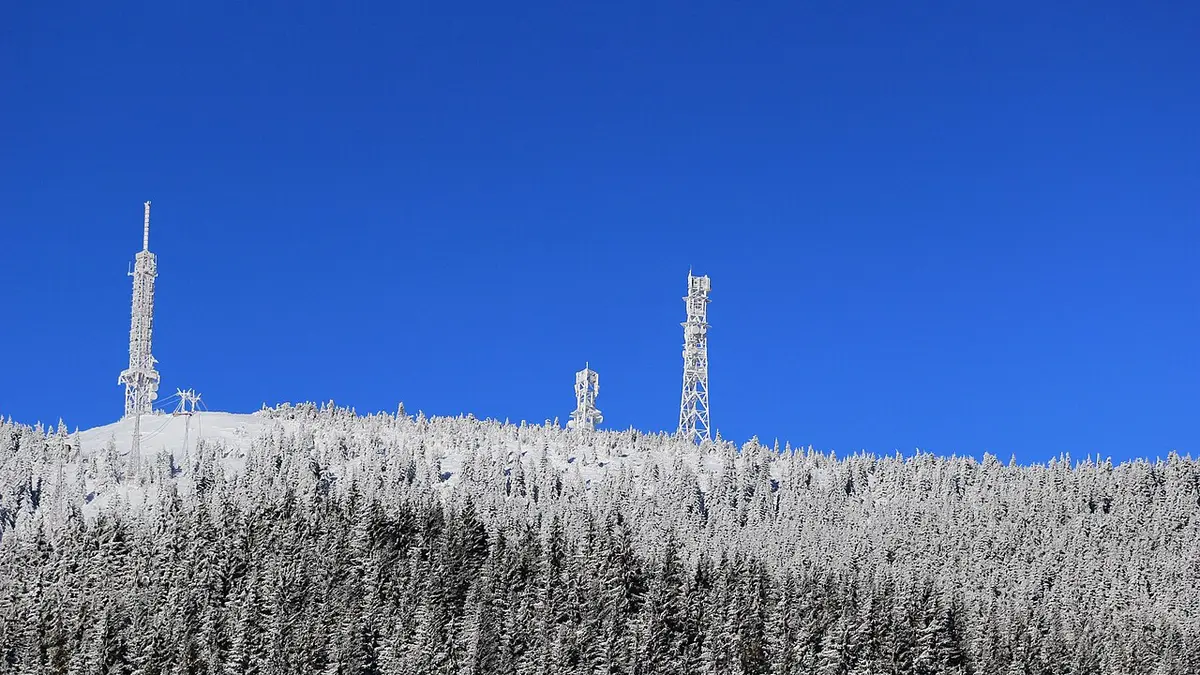
A cell signal booster has three parts: an outside antenna that captures a weak signal from the tower, an amplifier that strengthens it, and an inside antenna that rebroadcasts it to your phones and hotspots. It cannot create a signal where none exists, but it can turn a barely usable one (one bar, slow or dropped calls) into a stable one, and it can improve uploads as well as downloads. In an RV, the keys to good results are antenna separation, mounting height, a correct power and gain match for a vehicle, and a legal, registered consumer booster.
Boosters are among the most misunderstood RV gadgets. Some people expect miracles in true dead zones, and others skip the best part of the setup, the antenna placement, and get squealing feedback. Below is how the signal chain works, what the numbers mean (decibels, gain, dBm), how to install one on a rig, what the rules say, and how a booster compares with other connectivity tools.
What a booster does, step by step
Think of a booster as a two-way amplifier between your RV and the tower.
- Downlink. The tower sends a signal to your location. The outside antenna picks it up, even when it is too weak for a phone's small antenna to hold.
- Amplification. The booster's amplifier increases the strength of that signal, by a factor set by its gain, while filtering for the cell bands it is built to handle.
- Rebroadcast. The inside antenna transmits the strengthened signal into the RV, where phones, hotspots and tablets receive it.
- Uplink. Your device transmits back at its normal low power. The inside antenna picks that up, the amplifier boosts it, and the outside antenna sends it to the tower at higher power than the phone could manage alone.
The uplink step is the key to better calls, texts and uploads. A phone in a weak area struggles to reach the tower, even when it can hear the tower. The booster helps with both directions. Gain is the amount of amplification, measured in decibels (dB).
Decibels and what they mean
Decibels are logarithmic, which makes the numbers feel small while the changes are large. Each 3 dB roughly doubles power, and each 10 dB multiplies it by ten.
| Gain | Power multiplication |
|---|---|
| 3 dB | About 2 times |
| 10 dB | 10 times |
| 20 dB | 100 times |
| 30 dB | 1,000 times |
| 40 dB | 10,000 times |
| 50 dB | 100,000 times |
| 65 dB | About 3 million times |
Signal strength at your device is measured in dBm, a negative number where closer to zero is stronger. As a rough guide, minus 70 dBm or stronger is a very good signal, minus 85 to minus 100 dBm is fair to weak, and below minus 110 dBm is very poor. Booster makers list the weakest signal their device can work with, called the minimum input level. A booster cannot work if the outside antenna cannot detect any signal at all.
Gain limits for vehicles and RVs
Consumer boosters in the United States are regulated by the Federal Communications Commission (FCC). The rules, adopted in 2013 and updated in 2014, require boosters to meet technical standards to prevent interference with cell networks, and carriers consent to the use of compliant consumer boosters. Owners are required to register their booster with their carrier. The rules also limit the gain: mobile boosters, those designed for vehicles and RVs, generally top out at around 50 dB, while home and building boosters can reach 65 dB. Some retailers sell RV kits that pair a building-style booster with an RV antenna and describe them as RV boosters, and compliance and rated gain vary by model, so check the FCC certification and the listed gain for your specific product before buying.
For you, the practical point is that a legal mobile booster has an upper limit on gain, so installation matters more than raw numbers. A well-placed antenna on a booster with modest gain often outperforms a poorly placed one on a stronger model.
Antenna separation: the rule that prevents feedback
The most important installation rule is to keep the outside and inside antennas apart. If the inside antenna's rebroadcast reaches the outside antenna, the booster hears itself, and the signal loops and oscillates, like a microphone squealing near a speaker. Modern boosters detect this and automatically reduce gain or shut down, which then removes the benefit.
| Booster gain | Typical minimum antenna separation |
|---|---|
| Up to 50 dB | Several feet, often 3 to 10 feet vertically or horizontally, following the manual |
| 50 to 65 dB | More, often 20 feet or more |
An RV is small, which makes separation tricky. The usual solution is to mount the outside antenna on the roof, as high and as far from the inside antenna as possible, and the inside antenna near where you use your phones, often at the opposite end of the rig. A metal roof between the antennas helps shield them. Follow the manual for the exact distance, since the numbers vary by product and gain.
Choosing and mounting the antennas
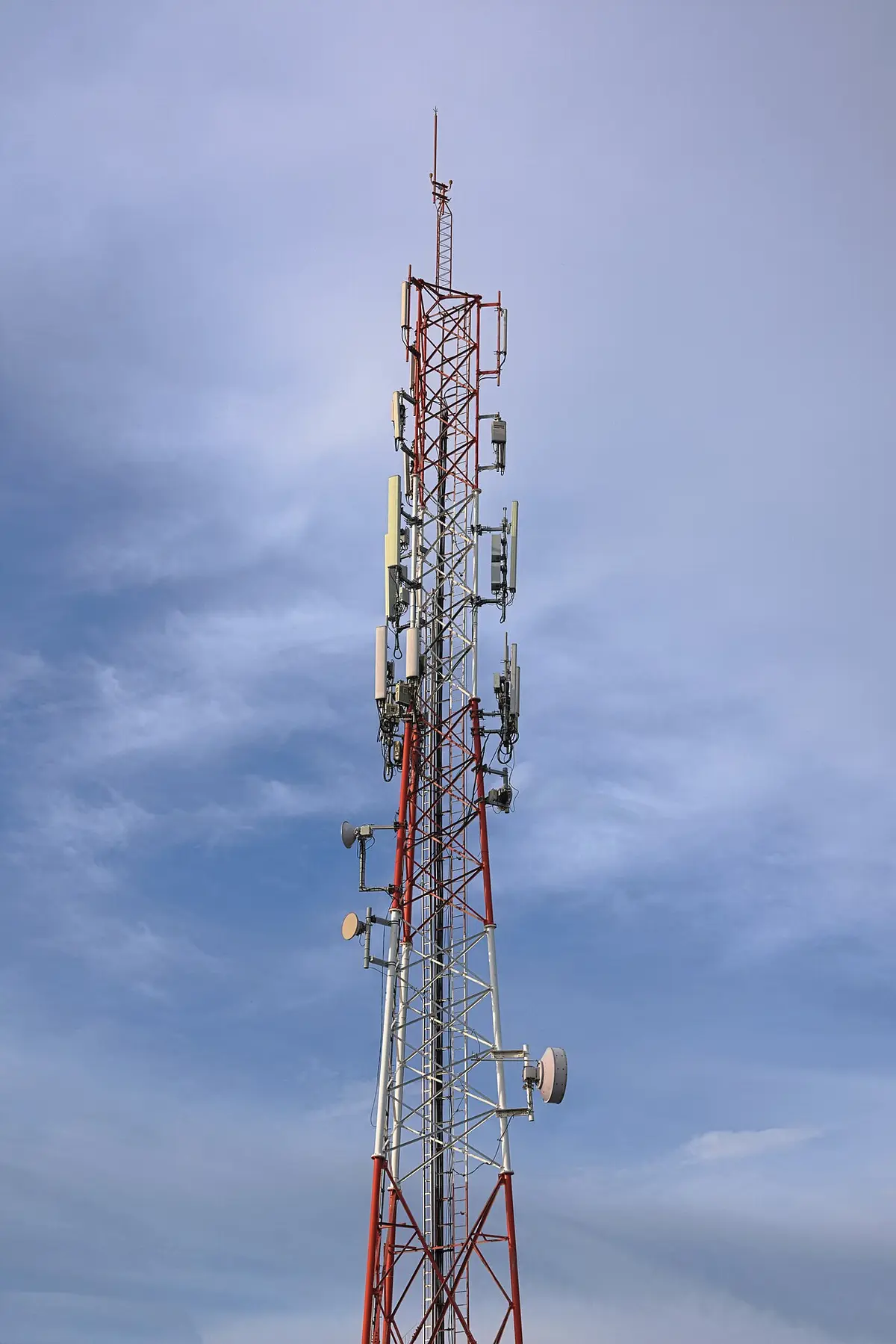
The outside antenna. It captures the signal from the tower and should be mounted as high as possible, with a clear view in all directions. Omnidirectional antennas receive from any direction, which suits an RV that parks in different orientations. Directional antennas, such as a Yagi, have higher gain in one direction and must be pointed at the tower, which is useful for a long stay in a fringe area. Mounting a magnet-mount antenna on a metal roof is simple, and it can be moved. Permanent roof mounts are more secure.
The inside antenna. It broadcasts the amplified signal and covers an area of a few feet to a whole RV, depending on the model. Place it near where you work or sleep and keep it clear of metal obstructions. A panel antenna on a wall or an ordinary stick antenna on a table both work.
Cables. Coaxial cable loses signal as it gets longer and thinner. Use the shortest cable that works and quality low-loss coax, and keep connections tight and weatherproofed. A long run of thin cable can cancel the gain you paid for.
The booster unit. Mount it in a dry, ventilated place near a power source, away from heat. It typically runs on 12 V DC and draws a few watts, which is small compared with other RV loads. Use a fused connection to the RV's power, and check polarity before connecting.
What a booster can and cannot do
| A booster can | A booster cannot |
|---|---|
| Improve calls, texts and data in weak but usable signal | Create signal where there is none |
| Help multiple phones and hotspots at once | Increase the speed beyond what the tower and network allow |
| Improve upload speed and reliability | Fix congestion on a busy tower |
| Reduce dropped calls | Work with a damaged or missing outside antenna |
| Work with all major carriers (in a compliant multi-band model) | Pick up bands it is not built for |
A common misunderstanding is that a booster makes the internet faster. It improves the quality of the connection, and in a weak signal area that may mean a big improvement in data speed, but if the tower is overloaded or the network is slow, a booster will not fix it. The improvement is greatest when the signal is weak but there is enough capacity on the tower.
Boosters versus other connectivity options
| Option | What it does | Best for |
|---|---|---|
| Cell signal booster | Amplifies cellular signal for phones and hotspots | Weak cell areas, calls and data |
| Hotspot with external antenna | Connects a hotspot to an outside antenna for better reception | Fixed internet for work |
| WiFi booster or extender | Extends campground WiFi | Campgrounds with WiFi |
| Satellite internet | Provides internet where there is no cell coverage | Remote areas |
| Routers with cellular modems | Combine cellular and WiFi | Full-time and remote work |
For campground WiFi, see how a campground WiFi extender works to understand the difference between amplifying cell signals and extending a WiFi network. For navigation that works without a signal, see RV GPS versus phone navigation apps.
If you want a booster that supports a hotspot or multiple devices, look at the best RV cell booster for a mobile hotspot and the best RV WiFi booster for multiple devices. For general guidance, the best cell signal booster for RV and the best 4G LTE cell signal booster for RV cover mainstream cellular boosters. Some products combine cellular and WiFi functions, as in the best WiFi and cellular booster for RV. If budget is the constraint, check the best budget RV WiFi booster, the best RV WiFi booster and the best campground WiFi booster for RV.
Installation steps for a typical RV
- Check the signal first. Use your phone's field test mode or an app to measure the signal at the roof or a window. If it is below the booster's minimum input, you may need a directional antenna or a different location.
- Choose the antenna positions. Place the outside antenna on the roof, and the inside antenna at the farthest practical point from it. Keep them separated by at least the distance in the manual.
- Run the cables cleanly. Avoid sharp bends, pinching and water entry. Use a weatherproof pass-through for the roof entry.
- Connect and mount the booster. Place it where it can ventilate, and connect power with a fuse.
- Power on and check the indicators. Most boosters use lights to show status: green is normal, and red or orange indicates oscillation or overload.
- Test. Check the bars and run a speed test or call in different spots. If you see warnings, increase separation or reduce gain.
- Register the booster with your carriers, as the rules require, which is usually a short online form.
For a travel trailer or a fifth wheel, the outside antenna can go on the roof, or on a mast on the pickup or the trailer tongue. With a motorhome, the roof is usually fine. In all cases, keep antennas away from other transmitters and from a large metal surface that shades the antenna.
A worked signal example
Imagine you park at a campsite where your phone shows one bar and a measured signal of minus 108 dBm. Calls drop and a video call is impossible. You mount a booster with 50 dB of gain and an omnidirectional roof antenna.
The outside antenna sits above the roof line, where the signal is a few dB stronger than inside the metal shell, perhaps minus 102 dBm. After the cable loss of about 2 dB, the booster sees minus 104 dBm at its input, which is within the range most boosters can work with, though near the weak end. The amplifier raises it by its gain, but the device will not output more power than its legal limit, so the rebroadcast signal inside the RV settles near minus 65 to minus 75 dBm in the area close to the inside antenna. Your phone now shows three or four bars, and it can use a higher-order modulation to move data faster.
On the uplink, the phone transmits at a fraction of a watt. Instead of struggling at full power, which is what a phone does when it is far from the tower, it can drop its output because the booster does the heavy lifting. That also saves phone battery. The tower sees a clearer, stronger uplink.
Now change one thing. Park in a different spot where the outside signal is minus 125 dBm, below the booster's minimum input. The booster has nothing to amplify, its input detects almost no signal and the indicator may blink an error. Moving the RV a few hundred feet to higher ground, or raising the antenna on a mast, may bring it back to minus 110 dBm and into the working range. That is the reality of boosters: most of the benefit comes from where you place the antenna and where you park.
Troubleshooting a booster that is not working well
| Symptom | Likely cause | What to try |
|---|---|---|
| Indicator light shows an error or overload | Antennas too close, feedback | Increase separation, reduce gain, check the manual |
| Bars improve but data is slow | Congested tower or weak uplink | Try a different time of day, or a different carrier |
| No improvement at all | No usable outside signal | Raise the antenna, try a directional model, move the RV |
| Works on one carrier only | Band support limitation | Check supported bands, update the booster if possible |
| Signal drops when the slide-out moves | Antenna shadowed or cable pinched | Check cable routing and antenna position |
| Phone does not use the booster | Phone too far from inside antenna | Move closer, or move the inside antenna |
| Booster shuts down repeatedly | Overload from a nearby tower | Reduce gain or move the outside antenna away from the tower |
| Hot booster | Poor ventilation | Relocate to a cooler, ventilated place |
Always check the cables and connectors first. A loose or corroded connector causes most problems after the initial installation. Check that the roof penetration is sealed and has not allowed water inside. If the booster is a few years old, check that it supports the newer bands your carrier uses.
Power use and battery planning
Boosters draw modest power, typically 5 to 15 W, which is small compared with a fridge but meaningful for a small battery. At 8 W over 24 hours, that is about 190 Wh a day, which is not trivial for boondockers with limited solar. If you boondock, switch it off when you do not need it, or choose a model with low standby draw. For the arithmetic of how a load turns into battery use, the explanations in the camp power guides on watt-hours show the method, and the same approach applies here: multiply watts by hours and add the losses.
Tips for using a booster on the road
- Mount high and clear. Each foot of height improves reception.
- Park with the signal in mind. A site on a hilltop or an open field has better signal than a valley.
- Use a directional antenna if you stay for weeks in the same weak spot.
- Turn it off when not needed, or leave it on and rely on the auto shutoff in a normal booster.
- Update your registration if you change carriers.
- Check the booster after a bump, since connectors can loosen.
- Pair it with a hotspot. A hotspot near the inside antenna can serve the whole RV with WiFi.
When you settle in at a site, other comforts matter too. A weather-resistant mat under the awning is a small step, and the guide to choosing an RV outdoor rug walks through sizes and materials.
Common mistakes to avoid
- Expecting a signal from nothing. A booster needs a usable signal to amplify.
- Mounting antennas too close. Feedback shuts the booster down.
- Using a long, thin cable. It wastes gain.
- Buying an uncertified booster. It may be illegal and can interfere with networks.
- Forgetting to register. The rules require it.
- Mounting the outside antenna low or in a shadow. Height matters.
- Ignoring the minimum input level. Check before you buy.
- Expecting speed beyond the network. A booster does not fix congestion.
Frequently asked questions
Do cell signal boosters work in an RV?
Yes, if there is a usable signal outside. A properly installed booster can turn a weak signal into a stable one for calls, texts and data. It cannot work where there is no signal at all.
How much gain do I need?
Mobile boosters for vehicles and RVs are typically limited to around 50 dB under FCC rules, which is sufficient for most situations. Higher numbers on retail pages often refer to home units, so check the certification and the intended use.
Where should I put the antennas on my RV?
Mount the outside antenna on the roof as high as possible with clear surroundings, and place the inside antenna as far from it as practical, following the manual's separation distance. Good separation prevents feedback.
Is it legal to use a cell booster?
In the United States, consumer boosters that meet FCC standards are legal when you register them with your carrier. Uncertified or illegal boosters can cause interference with networks and may be subject to enforcement.
Will a booster work with all carriers?
Most modern consumer boosters are multi-carrier and cover the common cellular bands used by the major carriers, but band support varies by model. Check the supported bands against your carriers' networks, including newer bands.
Is a booster better than a hotspot with an external antenna?
They solve different problems. A booster improves cell coverage for phones and hotspots in the RV, while a hotspot with an external antenna improves the hotspot's own reception. Many full-time travelers use both.
Sources & further reading
- weBoost: Regulation myths about cell signal boosters
- FCC: Public notice on consumer signal boosters (DA 13-1143)
- RV Mobile Internet: weBoost RV 4G overview
Image credits
- "Cellular repeater (31245054250)" by scrub, Public domain, via Wikimedia Commons.
- "Cell Tower Ciudad del Carmen2020" by Cvmontuy, CC BY-SA 4.0, via Wikimedia Commons.


Ready to buy?
Compare the gear: Camping & Travel
6 Best Budget RV WiFi and Cell Boosters in 2026
Six budget RV connectivity picks, split into WiFi extenders and cell signal boosters, so you buy the right type for campgrounds or boondocking.
6 Best RV Wifi Booster in 2026
Six RV internet options sorted by type: a long-range WiFi repeater, cell signal booster, prepaid hotspot with antenna and two home-style extenders.
6 Best Wifi And Cellular Booster For RV in 2026
WiFi and cellular boosters are different tools: compare vehicle cell boosters, a 5G panel antenna and a prepaid eSIM hotspot, with SIM and plan notes.
5 Best Cell Signal Booster For RV in 2026
Compare five RV cell signal boosters by antenna design, carrier support, FCC status and install effort, for campers who work or stream from remote sites.
4 Best 4g Lte Cell Signal Booster For RV in 2026
Four cell signal boosters compared on antenna design, gain, carrier support and install for RV owners who want better 4G LTE and 5G signal on the road.
5 Best RV Cell Booster For Mobile Hotspot in 2026
RV cell phone signal boosters compared for mobile hotspot use, covering 5G and 4G support, antenna design, carrier compatibility, and price tiers.
6 Best Campground Wifi Booster For RV in 2026
Six campground WiFi picks compared by antenna gain, stated range, band and cellular needs, with a clear split between WiFi boosters and a hotspot.
6 Best RV Wifi Booster For Multiple Devices in 2026
Six RV WiFi and signal products compared for many devices, with a clear split between WiFi extenders and cell phone signal boosters.
Keep reading