
Practical RV Guide · 12 min read
How a Campground WiFi Extender Works
Learn how a campground WiFi extender or WiFi-as-WAN booster captures a distant signal, how antenna height and bands matter, and what speeds to expect in an RV.

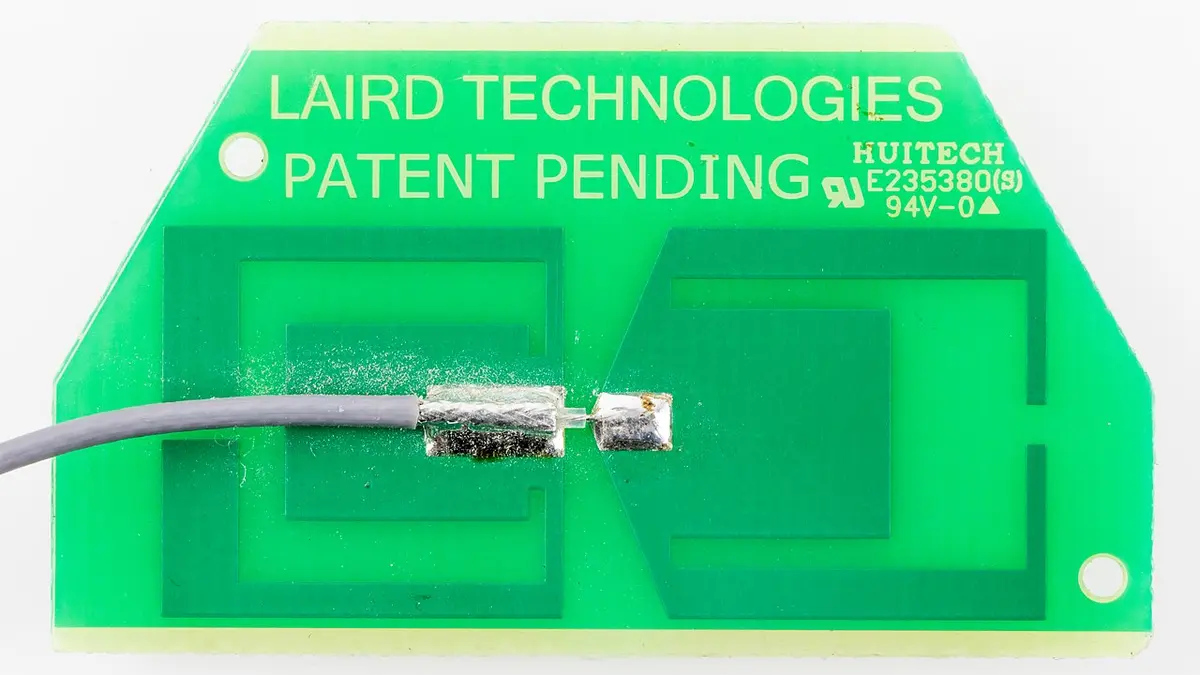
A campground WiFi extender (more accurately, a WiFi-as-WAN booster or long-range receiver) uses a high-gain outdoor antenna to pick up the campground's WiFi signal from far away, then feeds it into a router that creates your own private network inside the RV. It does not make the campground's internet faster than the connection it receives, but it can turn a signal that is too weak to use into a steady one, and it gives every device in your rig a single secure network to join. It cannot fix an overloaded campground network, and it cannot create WiFi where none exists.
Most campground WiFi disappoints for one of three reasons: the access point is far from your site, the signal has to pass through an RV's metal skin, or too many campers share too little bandwidth. A good setup attacks the first two and helps you cope with the third. Below is how the pieces work, how a repeater differs from a WiFi-as-WAN router, how to place an antenna, and what speed to expect.
Why campground WiFi is hard
Campground WiFi is typically a handful of access points covering many acres, serving dozens or hundreds of devices. Signal and speed suffer from several factors.
| Problem | Cause | Effect |
|---|---|---|
| Weak signal | Distance and obstacles between your RV and the access point | Slow speeds, drops, no connection |
| RV shielding | Aluminum or steel skin and metallized windows block radio waves | Signal inside is much weaker than outside |
| Shared bandwidth | Many users on one connection | Slowdowns at peak times |
| Interference | Other WiFi networks, microwaves, cordless devices | Packet loss and retries |
| Old equipment | Aging access points on 2.4 GHz only | Low speeds even with a good signal |
| Captive portals | Login pages and time limits | Devices cannot connect without a browser |
A booster addresses the first two. The others require patience, a different time of day or a different connection, such as a cellular hotspot. The explainer on how cell signal boosters work in an RV covers the cellular side of the story.
Extender, repeater and WiFi-as-WAN: three different tools
The words get used interchangeably, but the devices work differently.
WiFi repeater or extender. It receives the campground's signal and retransmits it on the same or a second radio. A single-radio repeater must listen and talk on the same channel, which roughly halves throughput. A dual-band model can receive on one band and transmit on the other. These are inexpensive and simple, but they are limited by the radios inside and are rarely suited to long distances.
Long-range WiFi receiver with an external antenna. A high-gain outdoor antenna with a dedicated radio picks up the campground's signal at a distance, then passes it by cable to a router. The antenna's gain and height are the performance drivers. See the best RV WiFi antennas and the best RV WiFi boosters with external antenna.
WiFi-as-WAN router. A router with a WAN input that can accept a WiFi connection as its internet source, instead of an Ethernet cable. It joins the campground WiFi as a client, then creates your private network with its own name and password. Everything in the RV connects to the router, so you log in to the campground network only once, even for devices without a browser, such as a TV or a console. The router also lets you run a firewall and a VPN.
In practice, many RV systems combine the last two: an outdoor antenna or a receiver mounted on the roof feeding a router inside. Compare setups in the best long-range RV WiFi boosters, the best roof-mounted WiFi boosters for RV and the best portable WiFi boosters for RV.
How the signal chain works
- The campground access point broadcasts a WiFi signal on the 2.4 GHz band, the 5 GHz band or both.
- Your outside antenna captures it. A directional antenna has a narrow beam and higher gain, and an omnidirectional one covers all directions with lower gain.
- A cable carries the signal to the receiver or router. Cable loss reduces the benefit, so keep the cable short.
- The router connects to the campground network as a client, then shares the connection with your devices through its own WiFi and Ethernet ports.
- Your devices join your private network, which is strong because the router is inside the RV.
An important point: the speed you get is limited by the weakest link in the chain, often the campground's own internet connection. A perfect signal to an access point with a slow uplink yields slow internet. What the booster improves is stability and the ability to connect at all.
Bands and what they mean
WiFi uses two main bands, and each has trade-offs.
| Band | Range | Speed | Congestion | Notes |
|---|---|---|---|---|
| 2.4 GHz | Longer, better at penetrating walls | Lower | Often crowded | Works at greater distance, less capacity |
| 5 GHz | Shorter | Higher | Less crowded | Stronger speeds at close range |
| 6 GHz (WiFi 6E and 7) | Shortest | Highest | Very uncongested | Limited availability at campgrounds |
For long-distance links, 2.4 GHz often connects at greater range, but speeds are lower, while 5 GHz gives higher speeds when the signal is good. A router that can use both bands as a WAN source gives you flexibility. If your campground uses 5 GHz, see the best 5G WiFi boosters for RV (here "5G" refers to the 5 GHz band, not cellular), and for newer standards, the best WiFi 6 extenders for RV. Be careful with marketing: "5G WiFi" is not the same as 5G cellular.
Antenna placement
Placement matters as much as the hardware.
- Height. A higher antenna sees farther and over obstacles. A mast or roof mount beats a window mount.
- Line of sight. Trees and other RVs absorb 2.4 and 5 GHz signals. A direct path to the access point is best. Wet leaves absorb more than dry ones.
- Direction. For a directional antenna, point it toward the access point. Use an app to find the strongest signal, and adjust in small steps.
- Away from metal. Do not mount the antenna against a large metal surface that shadows it.
- Cable length. Keep it short, and use low-loss cable.
- Weatherproofing. Seal outdoor connectors with weatherproof tape or boots, and make sure the roof penetration is watertight.
- Stability. Wind can knock a mast over or shift a directional antenna.
If you can choose your site, ask the campground where the access points are and pick a spot with a clear view. A site near a pole or a building that houses the WiFi can have an excellent signal, and one on the far side of a hill will not.
Setting up a WiFi-as-WAN system
- Mount the antenna and connect the cable.
- Connect to the router, following the manual.
- Scan for networks using the router's interface. Select the campground's network.
- Enter the password if there is one. For a captive portal, you may need to connect a device to the router and open a browser to accept the terms.
- Check the connection by running a speed test and verifying that devices can reach the internet.
- Secure your private network with a strong password and WPA2 or WPA3 encryption.
- Set up a VPN if you use the internet for sensitive work.
- Save the profile so that the router reconnects automatically at the next visit.
When you move to a new campground, repeat the scan-and-join step. Some routers store several profiles, so recurring stops connect automatically.
What speeds to expect
Speeds depend on the campground's connection and its number of users. A typical campground may have a total uplink of 20 to 100 Mbps shared among everyone. In the best case, with a good signal and a quiet network, you might see 10 to 30 Mbps. At peak times, it might drop to 1 to 3 Mbps. Streaming video takes about 5 Mbps for HD, video calls 2 to 4 Mbps each, and email and browsing far less.
| Use | Approx. speed needed |
|---|---|
| Email, messaging | Under 1 Mbps |
| Web browsing | 1 to 5 Mbps |
| Music streaming | 1 to 2 Mbps |
| HD video streaming | 5 to 8 Mbps |
| Video calls | 2 to 4 Mbps each |
| 4K streaming | 15 to 25 Mbps |
| Large file uploads | As much as available |
If your work depends on a stable connection, treat campground WiFi as a bonus and have a cellular hotspot as a primary or backup. A hotspot with a booster, or a router that combines both and can fail over automatically, is the most reliable setup.
Security matters
Campground WiFi is a public network. Anyone on it can potentially see unencrypted traffic and attempt to reach your devices. A WiFi-as-WAN router adds a layer of separation, since your devices are behind its firewall rather than directly on the campground network. Add a few more habits:
- Use a VPN for banking and work.
- Turn off file sharing on laptops.
- Use HTTPS sites and keep software updated.
- Change the default router password.
- Do not auto-connect to unknown networks.
- Disable remote administration on the router.
- Be cautious with login portals that ask for unusual information.
Budget and choosing a setup
Costs range widely. A simple extender or a USB-powered WiFi adapter with a small antenna is inexpensive, while a roof-mounted long-range system with a router costs more. Consider how you travel:
- Weekend camper who occasionally uses campground WiFi. A small portable booster or a travel router is enough. The best budget WiFi router for RV and the best portable WiFi boosters for RV fit this use.
- Seasonal camper or remote worker. A roof-mounted antenna with a WiFi-as-WAN router is a sound investment.
- Full-timer. Combine a WiFi-as-WAN system, a cellular router with an external antenna and, if needed, a cell signal booster, with automatic failover.
Features worth looking for include dual-band operation, an external antenna port, a WAN input that accepts WiFi, VPN support, a captive portal workaround and power from 12 V or a USB power bank.
A worked example: a remote worker at a crowded park
A remote worker parks a 28 foot trailer at a campground with three access points mounted on poles. Their site is about 400 feet from the nearest one, with a row of trailers and a line of trees in between. A laptop at the dinette sees the campground network at minus 85 dBm on 2.4 GHz, which connects but delivers 1 to 2 Mbps and drops during video calls. The 5 GHz network is not visible at all.
They mount a directional antenna on a pole on the trailer's ladder side, 12 feet up, aimed at the nearest access point, and connect it by a short low-loss cable to a WiFi-as-WAN router inside. The antenna's gain adds about 12 dB over the laptop's internal antenna, and the height clears most of the trailer roofs. The router reports a link at minus 68 dBm on 2.4 GHz, and it can now see the 5 GHz network faintly at minus 78 dBm. They choose 2.4 GHz for stability and measure 12 Mbps down and 5 Mbps up in the morning, falling to 4 Mbps down at 7 p.m. when everyone streams video.
The result is a big improvement in stability and a moderate one in speed. Video calls stay connected, uploads finish and the laptop no longer hunts for a signal. The evening slowdown is unchanged, because it comes from the campground's shared uplink, so the worker schedules heavy uploads for the morning and keeps a cellular hotspot as a fallback for important calls in the evening. The lesson is that an external antenna solves the problem that is inside your control, and the habit of timing and a backup handles the part that is not.
Navigation, signal and settling in
Connectivity is one part of a travel day that also includes finding the campground and making the site comfortable. For the driving side, RV GPS versus phone navigation apps explains how to avoid low bridges and unfriendly roads, and the best time to download offline maps and the campground's address is before you rely on the campground WiFi to do it. Once parked, a durable mat under the awning keeps dust and mud out of the rig, and the guide to choosing an RV outdoor rug covers sizes and materials that dry fast and stay put in wind.
Reading product pages and spotting weak claims
Marketing for WiFi boosters is full of numbers that sound impressive and mean little. Look beyond them.
- "Up to a mile of range." This describes ideal conditions with no obstacles, usually between two matched high-gain devices. At a campground, trees and RVs shorten it by a large factor.
- "Boosts speeds by 300 percent." A booster cannot exceed the speed of the source. This usually compares a poor signal with a good one.
- Antenna gain in dBi. Higher gain means a narrower beam. A 9 to 12 dBi omnidirectional antenna is reasonable, and a directional antenna may reach 14 to 20 dBi or more. Gain only helps if you aim correctly.
- Standards and bands. Check whether the device supports 5 GHz and which WiFi standard it uses. Older devices may be limited to 2.4 GHz and slower speeds.
- Power and cable. Check whether the unit uses 12 V DC or power over Ethernet, and how long a cable it supports without losing signal.
- Software features. Look for site profiles, VPN support, captive portal handling and a clear interface.
- Weather rating. Outdoor parts should be rated for rain, dust and UV.
When two products look similar, pick the one with the clearer specifications and the better documented support for the features you need.
Power use
A router and a long-range receiver draw 5 to 15 W, which over a day is 120 to 360 Wh. If you boondock or camp in a vehicle with a small battery, that is significant. Choose low-power models, turn the system off when you are not using it, and plan the battery accordingly. The same arithmetic used in the camp power guides applies: watts times hours, plus losses.
Common mistakes to avoid
- Expecting an extender to speed up the campground's internet. It improves the link, not the source.
- Buying a single-radio repeater for a long-distance link. Throughput drops.
- Mounting the antenna low and behind trees. Height and clear line of sight matter.
- Confusing 5 GHz WiFi with 5G cellular. They are different.
- Skipping security. Public WiFi is not private.
- Using long thin cables. They lose signal.
- Relying on campground WiFi for critical work. Have a backup.
- Ignoring the captive portal. Know how your router handles login pages.
Frequently asked questions
Will a WiFi extender make campground internet faster?
Not beyond the speed the campground provides. It can make a weak or unstable connection usable and stable, which often feels like a big speed increase, but if the campground's connection is slow or crowded, the extender cannot fix it.
What is the difference between a WiFi extender and a WiFi booster for an RV?
The terms overlap. A repeater retransmits a signal with built-in radios, while a long-range booster uses a high-gain outdoor antenna and a router to join the campground network and create your own. The latter performs better at long distance.
Do I need an outdoor antenna?
If the campground's signal is weak inside the RV, yes. RV walls and windows block much of it, and an outside antenna, mounted high, captures a stronger signal. If the signal is already strong, a simple router may be enough.
Is campground WiFi secure?
Treat it as public. Use a router that places your devices behind its own firewall, enable a VPN for sensitive tasks, and keep software updated. Avoid unencrypted sites for personal data.
Can I use a cell booster and a WiFi booster together?
Yes. They address different connections. A cell booster improves cellular coverage for phones and hotspots, and a WiFi booster improves access to campground WiFi. Many full-time RVers use both and let the router fail over automatically.
How far can a WiFi booster reach?
It depends on the antenna, height and obstacles. A directional antenna on a mast with a clear line of sight can connect to access points several hundred feet or farther away, but trees, buildings and metal reduce range. Claims of miles are generally for ideal conditions.
Sources & further reading
- weBoost: Regulation myths about cell signal boosters
- RV Mobile Internet: weBoost RV 4G overview
- FCC: Public notice on consumer signal boosters (DA 13-1143)
Image credits
- "FRITZ!Box 7390 - Wifi antenna-7364" by Raimond Spekking, CC BY-SA 4.0, via Wikimedia Commons.
- "IPad, model A1337 - Wifi antenna-4665" by Raimond Spekking, CC BY-SA 4.0, via Wikimedia Commons.
- "IPad, model A1337 - back cover with Wifi antenna-4612" by Raimond Spekking, CC BY-SA 4.0, via Wikimedia Commons.


Ready to buy?
Compare the gear: Camping & Travel
6 Best Budget WiFi Routers for RVs in 2026
Six budget WiFi routers for RVs, judged on coverage inside a metal-skinned rig, client count and 2.4 versus 5 GHz reach, not just the internet source.
6 Best RV Wifi Antenna in 2026
Six WiFi antennas and a hotspot compared for RV use by gain, band, connector type and cellular dependencies, with a clear line between WiFi and LTE gear.
6 Best Wifi 6 Extender For RV in 2026
Six WiFi 6 extenders and a travel router compared for RV use by stated speed class, weatherproofing, device counts and ethernet ports.
5 Best 5g Wifi Booster For RV in 2026
Best 5G signal boosters and 5G routers for RVs, three cellular boosters, one mobile antenna and one router compared by what each really does.
6 Best Long Range RV Wifi Booster in 2026
Best long-range Wi-Fi boosters for RVs, outdoor extenders and a parabolic receiver compared by reach, bands and how each gets power.
5 Best Portable Wifi Booster For RV in 2026
Best portable internet gear for RV travel, covering four hotspots, one external antenna and one Wi-Fi extender, compared by network and power.
5 Best Roof Mounted Wifi Booster For RV in 2026
Best roof-mounted Wi-Fi boosters for RVs, two integrated roof systems, two outdoor extenders and an omni antenna compared by mounting and power.
6 Best RV Wifi Booster With External Antenna in 2026
Best external antennas for RV Wi-Fi boosting, six omni, panel and cellular models compared by gain, band and connector type.
Keep reading